
My Morning Client Sync With Google and AI
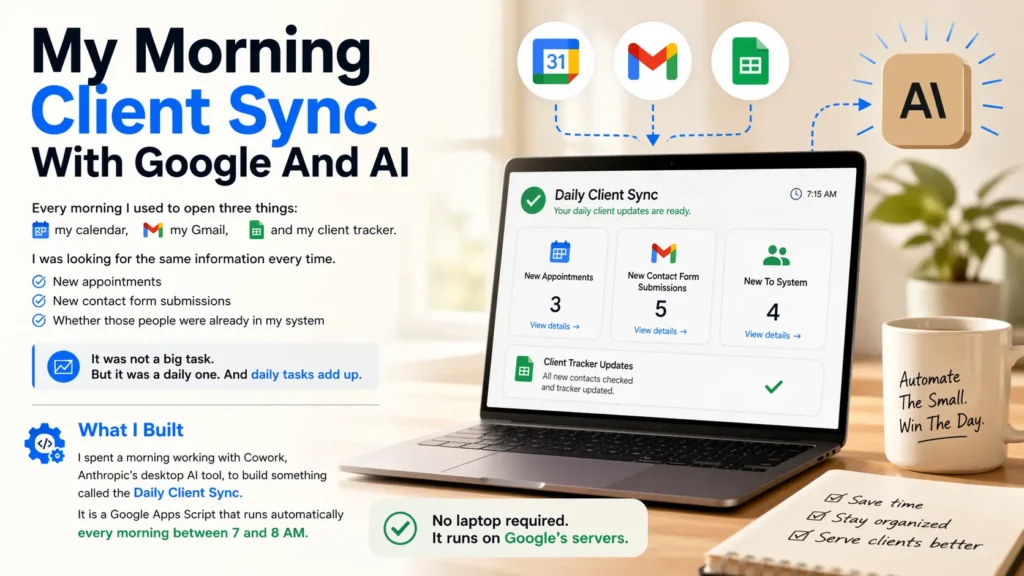
Every morning I used to open three things: my calendar, my Gmail, and my client tracker. I was looking for the same information every time. New appointments, new contact form submissions, and whether those people were already in my system.
It was not a big task. But it was a daily one. And daily tasks add up.
What I Built
I spent a morning working with Cowork, Anthropic’s desktop AI tool, to build something called the Daily Client Sync. It is a Google Apps Script that runs automatically every morning between 7 and 8 AM.
No laptop required. It runs on Google’s servers.
What It Does
Each morning the script does three things automatically.
- Scans my Google Calendar for that day’s appointments on my Tech Assist client calendar
- Checks Gmail for new contact form submissions from my website
- Updates my client tracker in Google Sheets with any new names, skipping anyone already in the list
Then it emails me a summary
After the sync runs, I get one email. It shows new clients added, existing matches it skipped, anything flagged for review, and any errors.
I open my inbox and the work is already done.
Why This Matters for a Solo Business
I run two businesses without a team. Every hour I spend on manual admin is an hour I am not spending on clients or content.
This script does not replace judgment. It just removes the repetitive part. I still review the summary every morning. But I am reviewing, not hunting.
How AI Helped Build It
I did not write this script from scratch. I used Cowork to help me design the logic, write the code, and troubleshoot two issues that came up during testing.
One was a tab name matching problem in Google Sheets. The other was a calendar name that used an en dash instead of a regular hyphen. Both would have taken me a long time to catch on my own. With AI, we found and fixed them in minutes.
That is what I mean when I say AI is a practical tool. It did not build the project for me. It helped me get unstuck faster.
What It Cost to Build
Google Apps Script is free. Google Sheets is free. Gmail is free. The only investment was a morning of focused work.
No Zapier. No Make. No subscriptions. Just Google tools connected by a script that runs quietly in the background every day.
Could You Build Something Like This?
If you have a Google account and a repeating manual task, probably yes. The pattern is always the same: identify the repetitive steps, connect the tools you already use, and let the script handle the trigger.
It does not have to be complex. Mine is under 200 lines of code. The value is not in the complexity. It is in not having to think about it anymore.
If you want to talk through whether something like this makes sense for your business, reach out here. I am happy to take a look at what you are doing manually and see if there is a simpler way.